
Appearance
Banners
Banners are announcement bars displayed at the very top of your storefront. Use them to highlight promotions, free shipping thresholds, seasonal sales, or any message you want every visitor to see right away.
Browsing banners
Open Banners in the admin sidebar to see all your announcement banners. The table shows each banner's text, status, and creation date.
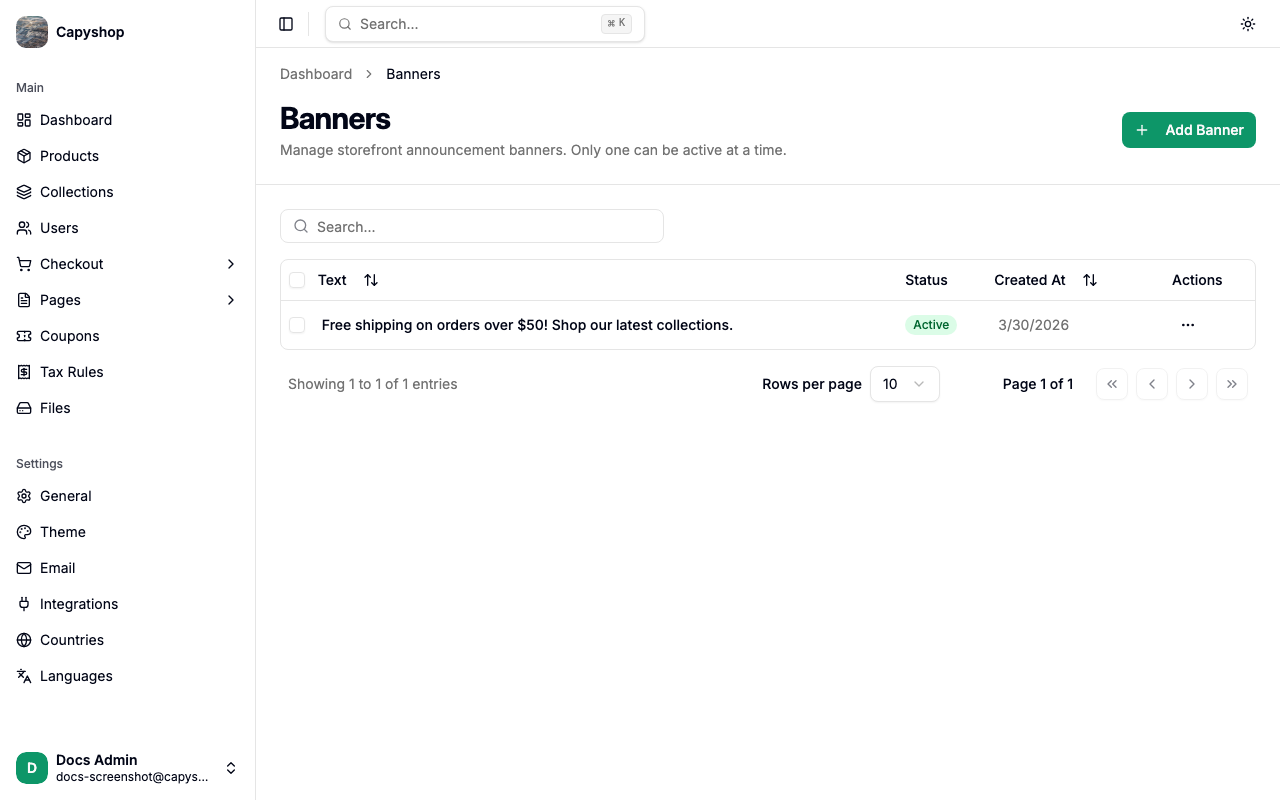
| Column | Description |
|---|---|
| Text | The message displayed in the banner |
| Status | Active (shown on the storefront) or Inactive |
| Created At | Date the banner was created |
You can search by banner text, sort by clicking column headers, and delete banners individually or in bulk using the checkboxes.
Creating a banner
Click Add Banner in the top-right corner to open the creation form.
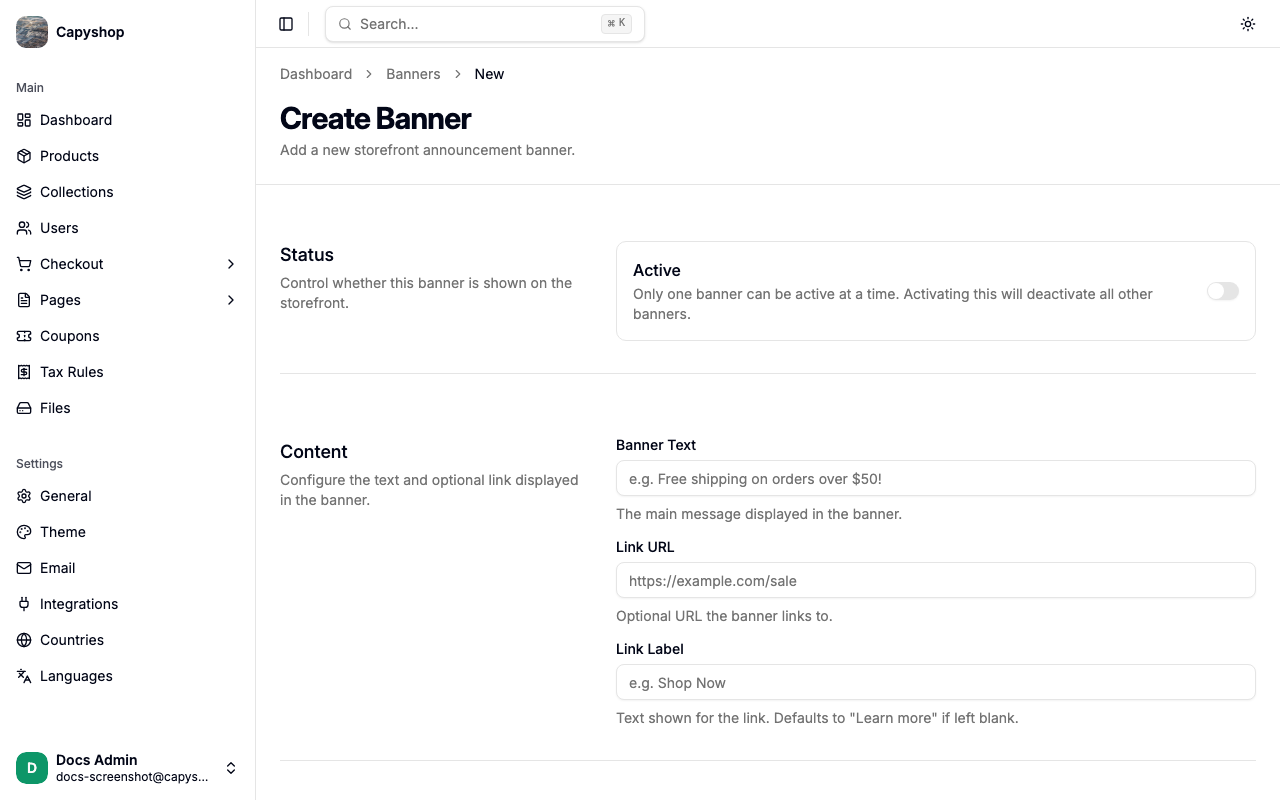
Status
| Field | Description |
|---|---|
| Active | Toggle to show this banner on the storefront. Multiple banners can be active — they rotate automatically like a slideshow |
Content
| Field | Description |
|---|---|
| Banner Text | The main message displayed in the banner (e.g. "Free shipping on orders over $50!") |
| Link URL | Optional URL the banner links to. When set, the banner becomes clickable |
| Link Label | Optional text for the link. If left blank and a URL is provided, the entire banner text becomes the clickable link with an arrow icon |
Tip: If you provide both a Link URL and a Link Label, the banner text is displayed as plain text with a separate styled link next to it. If you provide only a Link URL without a label, the entire banner text becomes clickable.
Click Create Banner to save.
Editing a banner
Click the edit action on any banner row to open the edit form. The fields are identical to the creation form. Click Save to apply your changes.
How banners appear on the storefront
Active banners appear as a colored bar at the very top of every page, above the navigation bar. The banner uses your store's theme colors (banner background and banner text colors set in the theme editor).
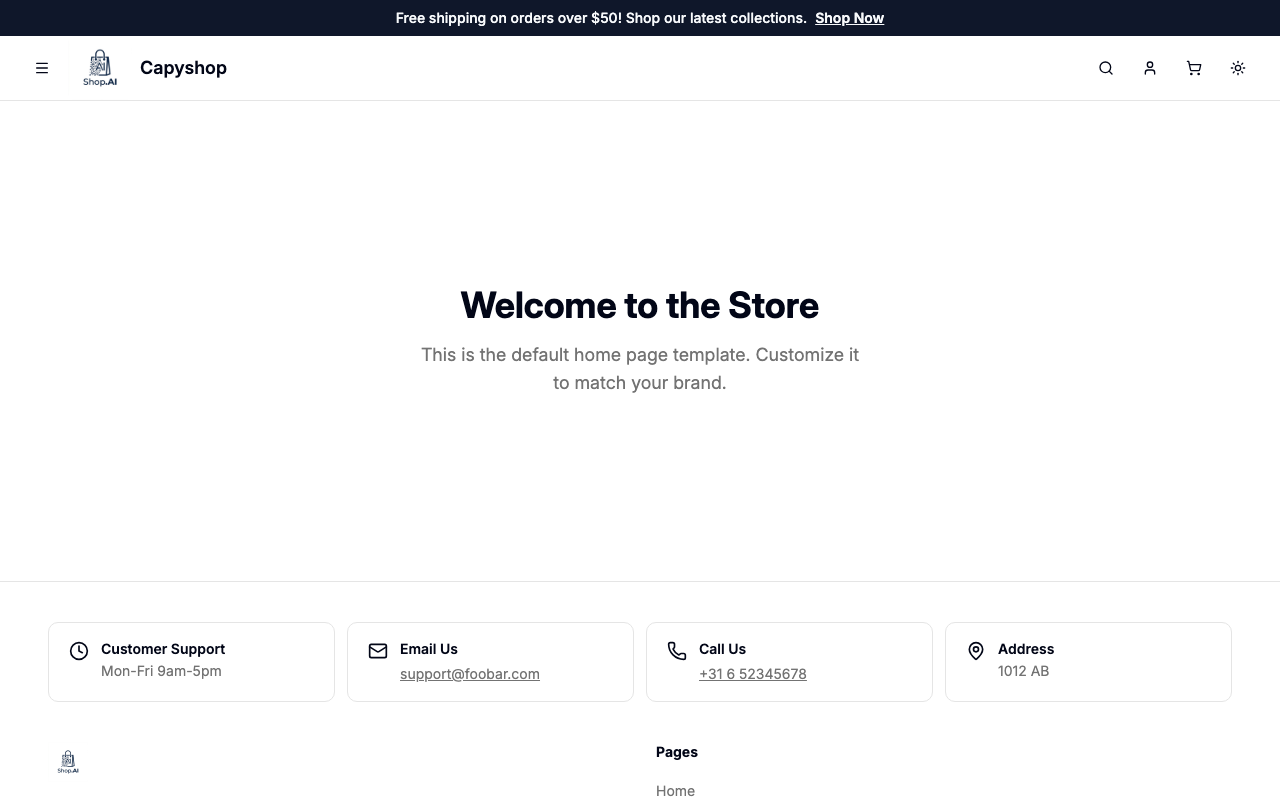
Link behavior:
- No link — the banner displays plain text
- Link URL only — the entire text is clickable and shows a small arrow icon, with an underline on hover
- Link URL + Link Label — the text is shown normally, with a separate styled link next to it
If multiple banners are active, the storefront automatically rotates between them every 5 seconds with a smooth fade transition.